Intelligent Documents

A Winning Document for Every Deal.

Liffey crafts each one for the buyer reading it, from your commercial brain and the deals you’ve already won. Start from an archetype, or describe your own.

Documents that move a sales deal forward.

Each one starts from an archetype proven to win deals, then is shaped by your context and the buyer in front of you.

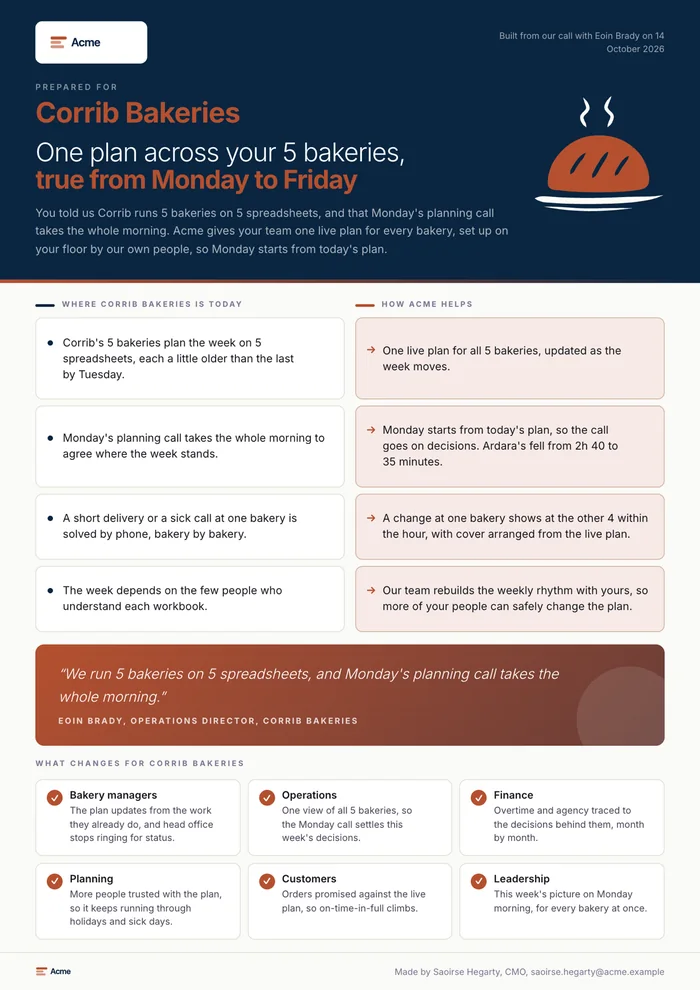
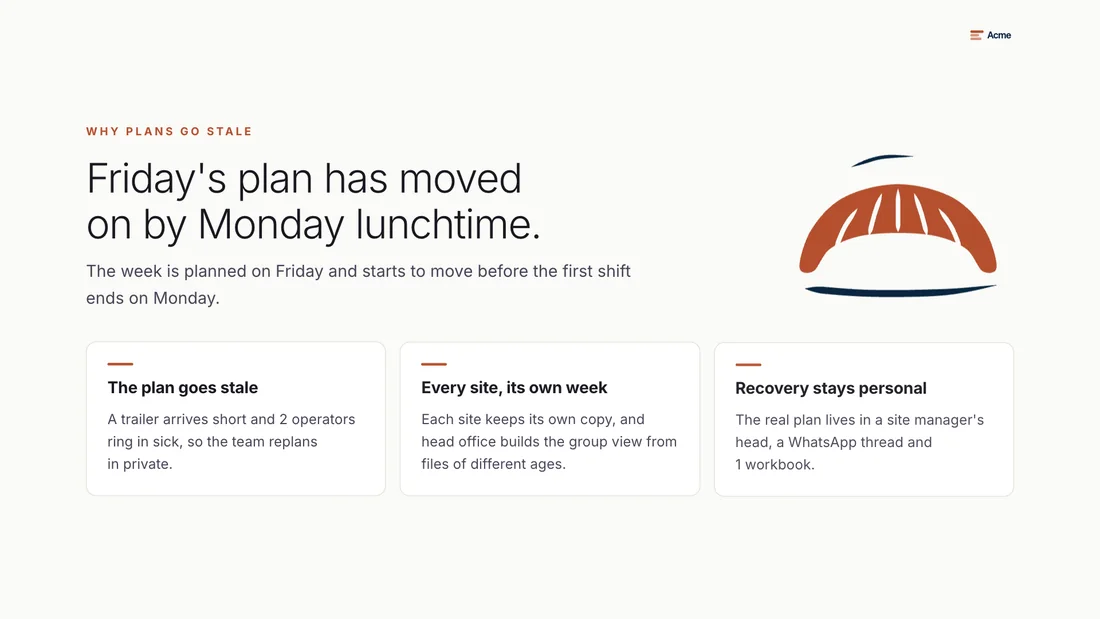
Acme solution brief for Eoin Brady at Corrib Bakeries: one plan across your 5 bakeries, true from Monday to Friday
Sales deals

Solution Brief

Their situation in their words, your answer to each point. Built to agree the next step in the deal.

Send it after a discovery call, while the buyer is still deciding.

  • Their world beside your answer, point by point
  • Their own words, or your best customer quote
  • What changes for each of their teams
  • Your proof, credentials and a named contact
Create a Solution Brief
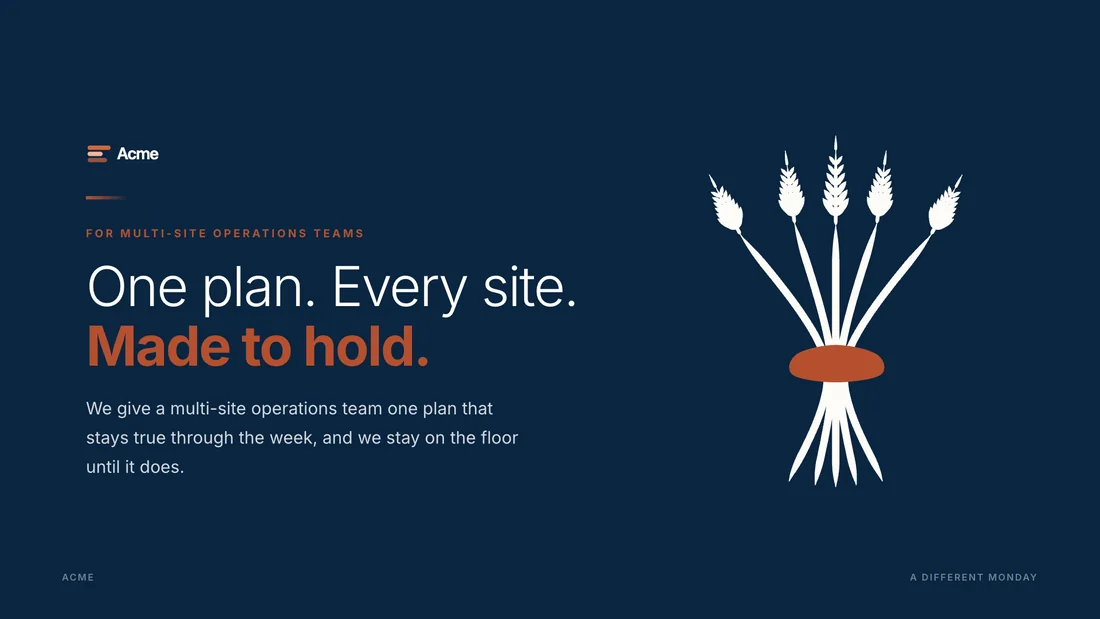
Acme sales presentation cover: One plan. Every site. Made to hold.
Sales deals

Sales Presentation

One story in your brand’s voice, whoever presents it, tailored to the buyer in the room.

Send it before the meeting, so everyone presenting tells the same story.

  • A clear story, one idea on each slide
  • Your positioning, proof and pricing logic
  • Present full screen, or download as PowerPoint
Create a Sales Presentation
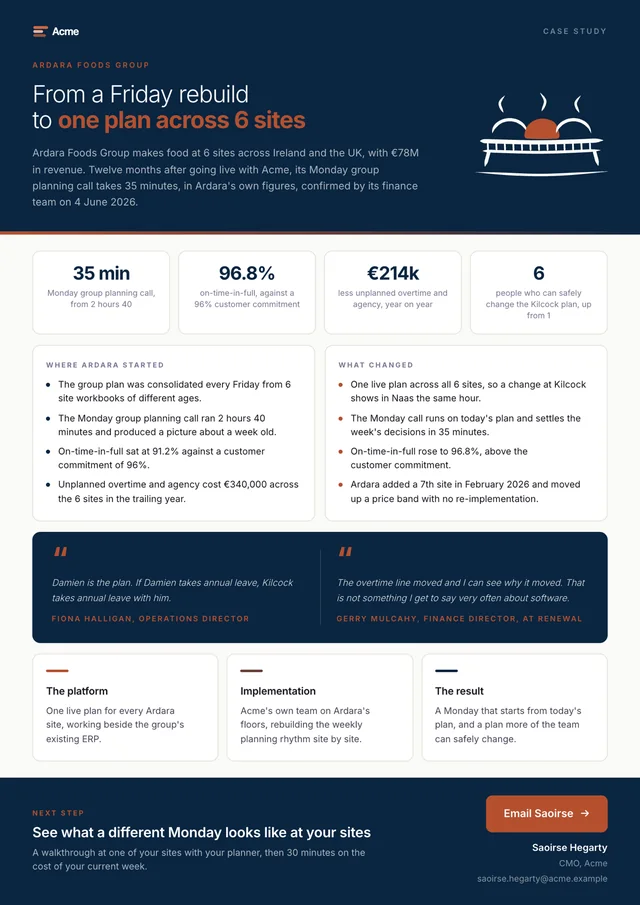
Acme case study for Ardara Foods Group: from a Friday rebuild to one plan across 6 sites
Sales deals

Case Study

Deals won with companies like theirs, in their own words and figures.

Send it when the buyer asks who else you have done this for.

  • The situation before, and what changed
  • Their figures and their own words
  • Each quote with its source and date
Create a Case Study
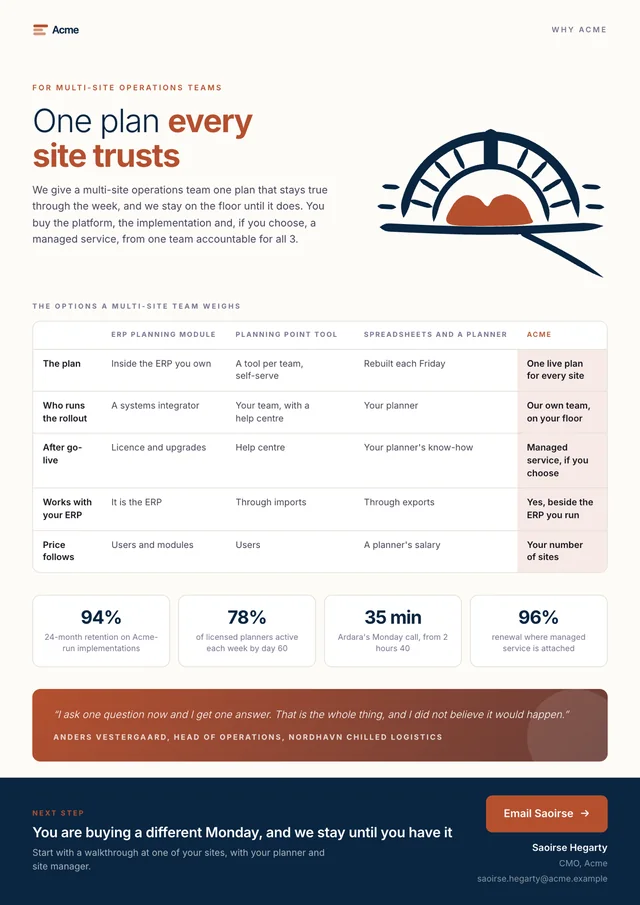
Acme comparison guide: one plan every site trusts
Sales deals

Comparison Guide

Why you, beside the alternatives your buyer weighs.

Send it when the buyer is weighing you against another option.

  • The options your buyer is considering
  • Where you are the stronger choice, and why
  • Proof behind every point
Create a Comparison Guide
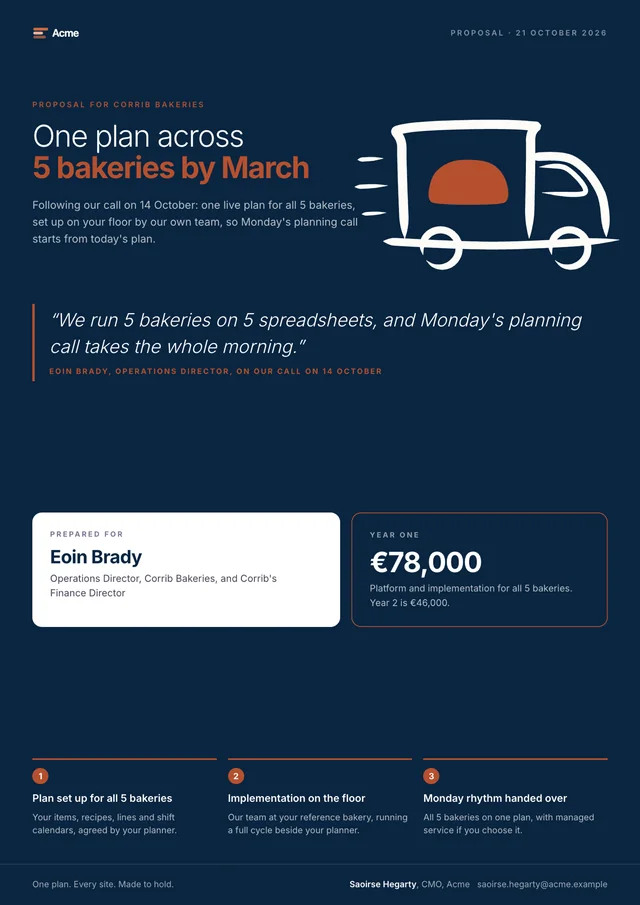
Acme proposal for Corrib Bakeries: one plan across 5 bakeries by March
Sales deals

Proposal

Scope, price and next steps, while the deal is warm.

Send it when the buyer is ready to decide.

  • The value, in the buyer’s terms
  • Scope, price and the decision to make
  • A call to action that reaches you
  • Ready to send for signature in DocuSign or PandaDoc
Create a Proposal
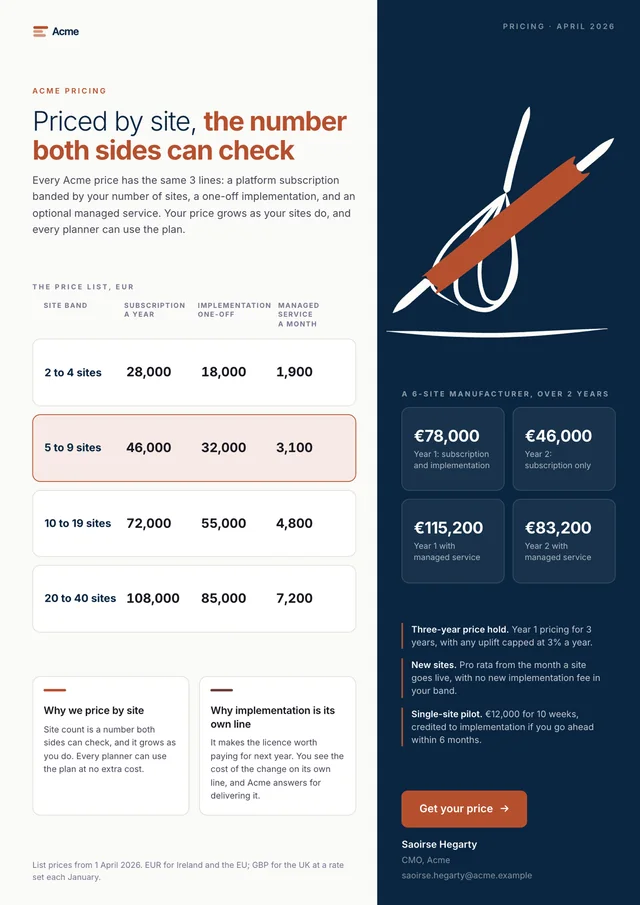
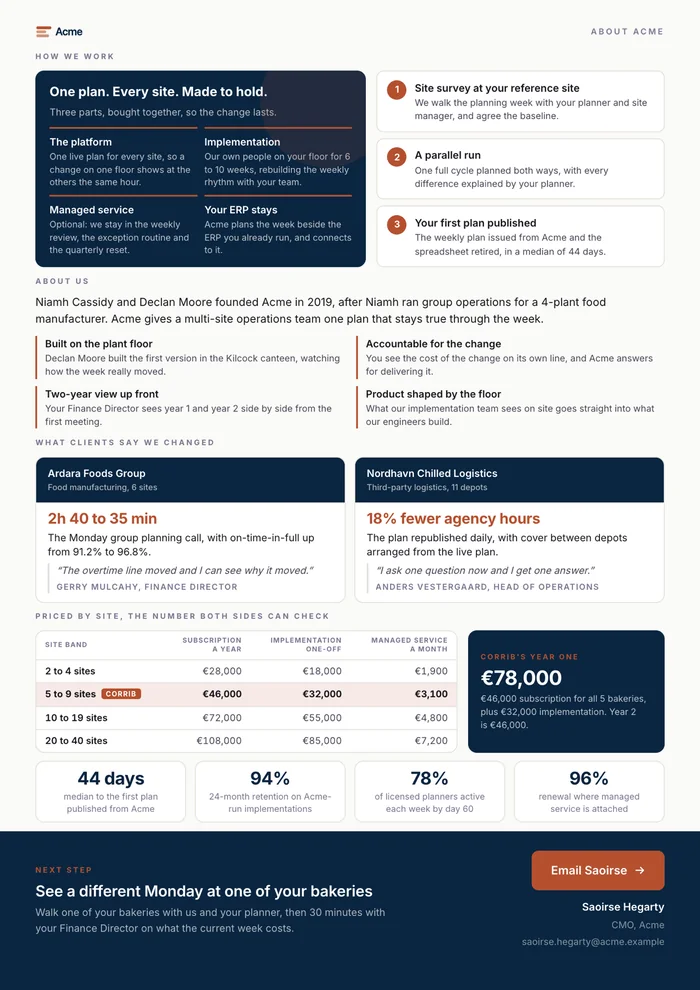
Acme pricing guide: priced by site, the number both sides can check
Sales deals

Pricing Guide

Your pricing logic, clear enough to defend internally.

Send it when your buyer has to explain the price to their own team.

  • How the price is built, line by line
  • What each option includes, side by side
  • A number both sides can check
Create a Pricing Guide

Documents for Partners, Investors and Every Deal.

Investor deals

Investor Brief

The case for your next round, written for the investor reading it.

  • Your story, traction and proof
  • Why now, your team and the ask
  • Ready to share through a DocSend data room
Partner deals

Partner Brief

A simple story your partners can tell and sell for you.

  • Proof from companies in their sector
  • How you work with your partners
  • The first step and a named contact
Sales deals

Terms of Business

Clear, fair terms for every deal, ready to send for signature.

  • Your own terms, in your brand
  • Shared by link beside the proposal
  • Ready to send for signature in DocuSign or PandaDoc
Sales deals

Work Order

Scope, timing and price, set out clearly and signed off fast.

  • Scope, timing and price, in one place
  • Who does what, and when
  • Ready to send for signature in DocuSign or PandaDoc
Every deal

Landing Page

A hosted page with your call to action built in.

  • A page for each campaign or buyer
  • Your call to action built in
  • In your brand, from your brain
Every deal

LinkedIn Post

Your point of view, grounded in what you know.

  • Written in your voice, from your brain
  • Grounded in your own proof
  • Ready to post, or to edit first
Create a Winning Commercial DocumentDescribe it, and Liffey builds it in minutes.

Every document is built to win the deal.

Written for This Buyer

Every point they raised, answered in their own words.

Proof From Deals You’ve Won

Customer quotes and figures, each with its source and date.

Crafted in Your Brand

Your logo, colours and pictures, taken from your website.

An AI Briefing for Their AI

The full context behind the document, for the buyer’s AI assistant.

A Signal When They Read It

An email when the buyer opens it, and when their AI reads the briefing.

Shared Your Way

A link, a full-screen presentation, PDF or PowerPoint, and on into Canva.

Liffey refined our customer engagement process and responsiveness into a simple but personalized proposal, transforming what sometimes took days into reviews that took minutes. It learned and trained our positioning, our pricing and our proof points, so everything we send is on-message and makes sense to potential customers.
KapteaAlan McNabCEO, Kaptea

Your brand, drawn into every page.

Liffey creates the icons and illustrations each document needs as it writes, matched to your colours, your style and the story on the page.

See what each plan includes Drawn by Liffey for 2 Acme sample documents

From a request to a finished document, in minutes.

Start in Liffey with one question: what do you want to create today?

Ask in Plain Words

Describe it, attach a file or speak, and Liffey fills in the rest from your brain.

Built From an Archetype

Liffey starts from a proven archetype or your own best documents, written from what your brain knows.

Edit Any Word, Then Send

Click any line to change it, then share the link or export to PDF, PowerPoint or Canva.

Share it, then know when the buyer or their AI reads it.

Sharing

  • A link for each document, kept out of search engines
  • An end date you choose, or turn the link off at any time
  • Present full screen, or download as PDF or PowerPoint
  • Presentations open in your Canva as editable designs
  • A video from YouTube, Vimeo or Loom, playing when the reader presses it
  • A PDF ready for DocuSign, PandaDoc or DocSend

Tracking

  • A view counts after a few seconds on screen
  • An email on the first open, then a daily summary at most
  • PDF saves counted, and a hint when it is passed on
  • Private for the reader, with no cookie or identifier
The AI briefing

Every document you share briefs the buyer’s AI too.

Buyers ask their AI assistants to read, summarise and compare what they receive. Each briefing gives their AI the full context behind your document.

  • A link to it at the foot of the document
  • A plain page your team and buyer can read in full
  • What you heard, why you fit, and the proof behind it
  • The questions they are likely to ask, each answered
  • Written only from the document and your public story
  • Live for 30 days, and you can turn it off at any time
  • Every read counted, named by assistant

Questions About Liffey’s Documents.

Can Liffey make a document we describe ourselves?

Describe the document you need, and Liffey builds it in minutes from your commercial brain, in your brand, with an AI briefing behind it.

Can we edit a document before we send it?

Edit it with Ask Liffey beside the page, accept or reject each change, and share it when it is right.

Where do the quotes in each document come from?

From your own material: the testimonials and case studies on your website, and the call transcripts and notes you add. Each quote keeps its source and date. Every quote is one a customer actually said, and where one is missing, Liffey asks you for it.

Does it use our logo, colours and fonts?

Liffey takes your logo, colours and key images from your website when it builds your brain, and every commercial document uses them, with icons and illustrations drawn for each one in your brand’s style.

Can our buyer sign a Liffey document?

Yes. Every Liffey document downloads as a PDF, ready to send for signature in DocuSign or PandaDoc, or to share under your own controls through a DocSend data room.

Can we export to PowerPoint, PDF and Canva?

Every commercial document shares by link, and exports to PDF and PowerPoint for the meeting. Presentations also open in your Canva as editable designs, for teams who finish their design work there. A document can also include a video from YouTube, Vimeo or Loom, which plays when the reader presses it and links from the PDF or PowerPoint.

Send Your First Document Today.

Start free from your website. Liffey builds your commercial brain and your first commercial documents in your brand, the same day, with no card needed.